Privacy-friendly analytics that also shows the traffic AI sends you
See who visits your site, where they come from and what they do, in real time, with no cookies and no personal data stored. Spot the visitors who arrive from ChatGPT, Perplexity, Claude and Google AI Overview.
14-day free trial · No credit card required
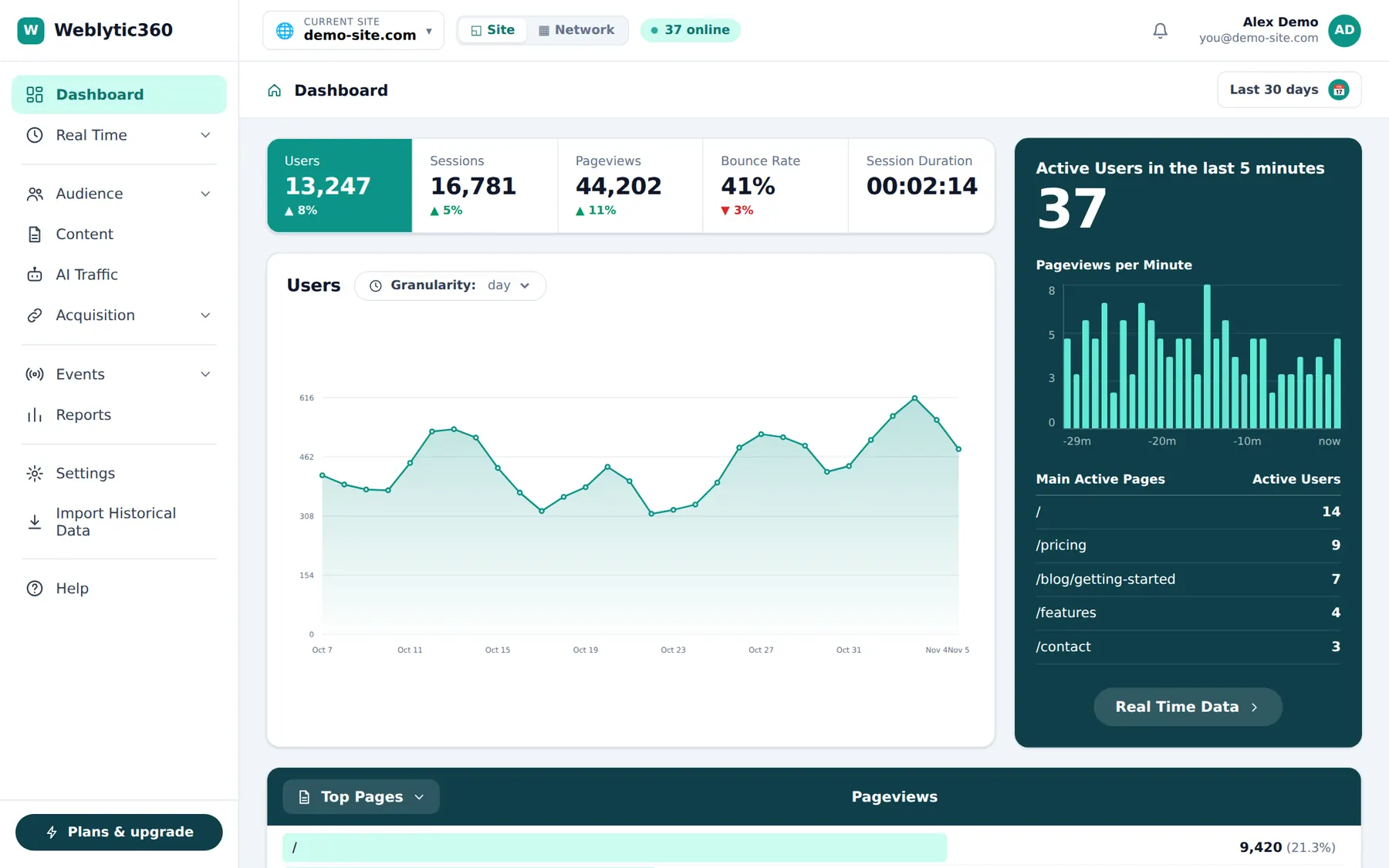
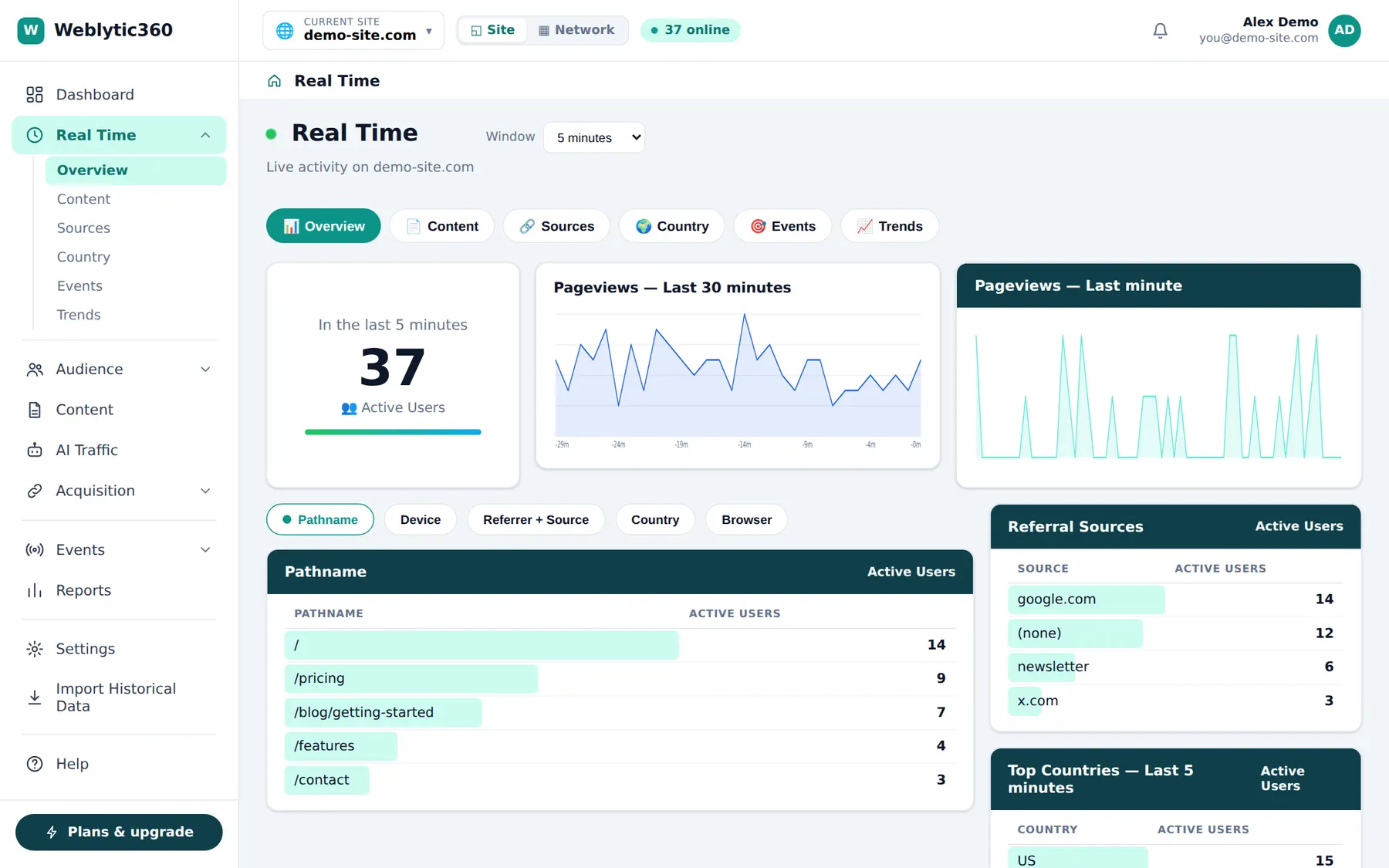
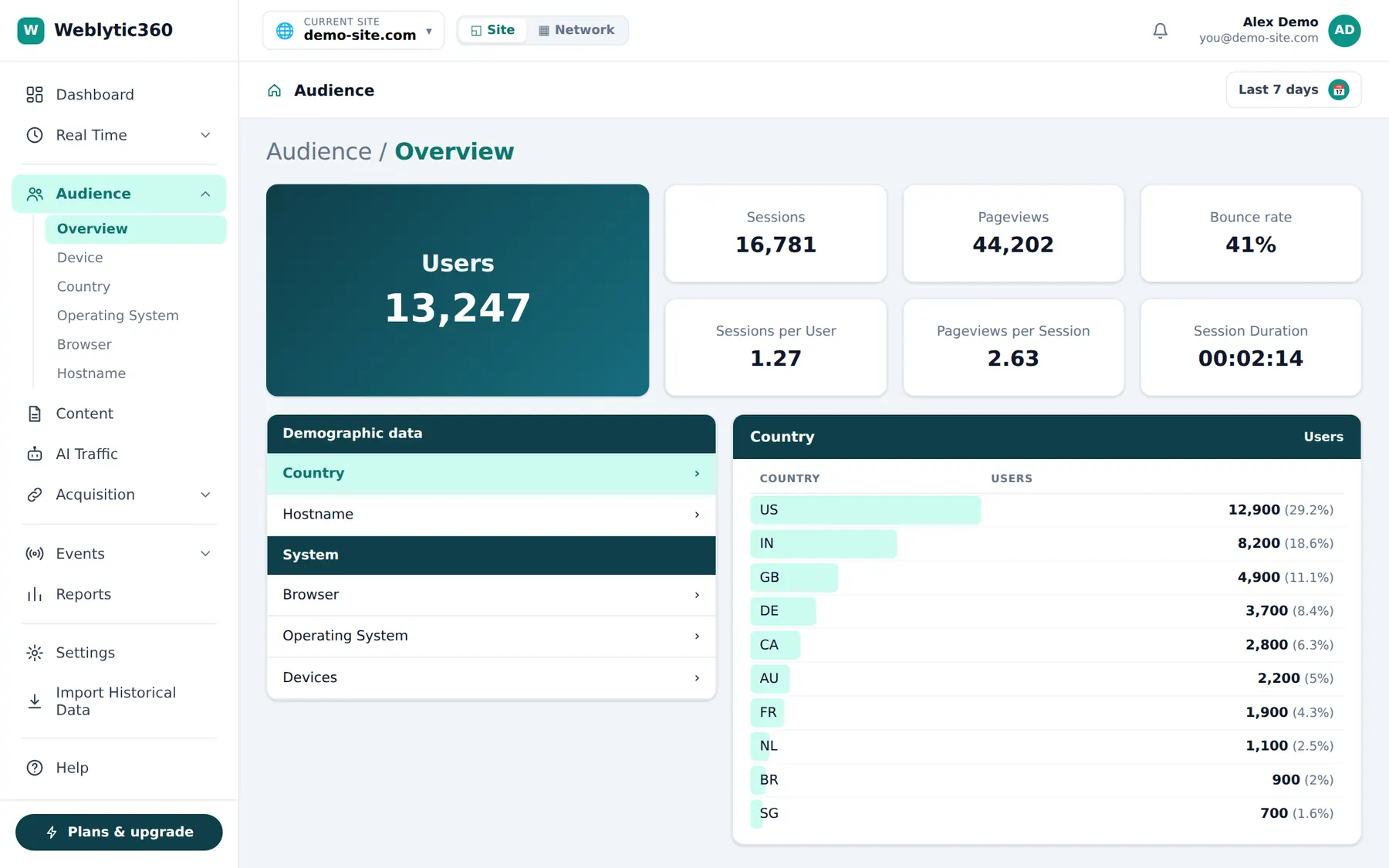
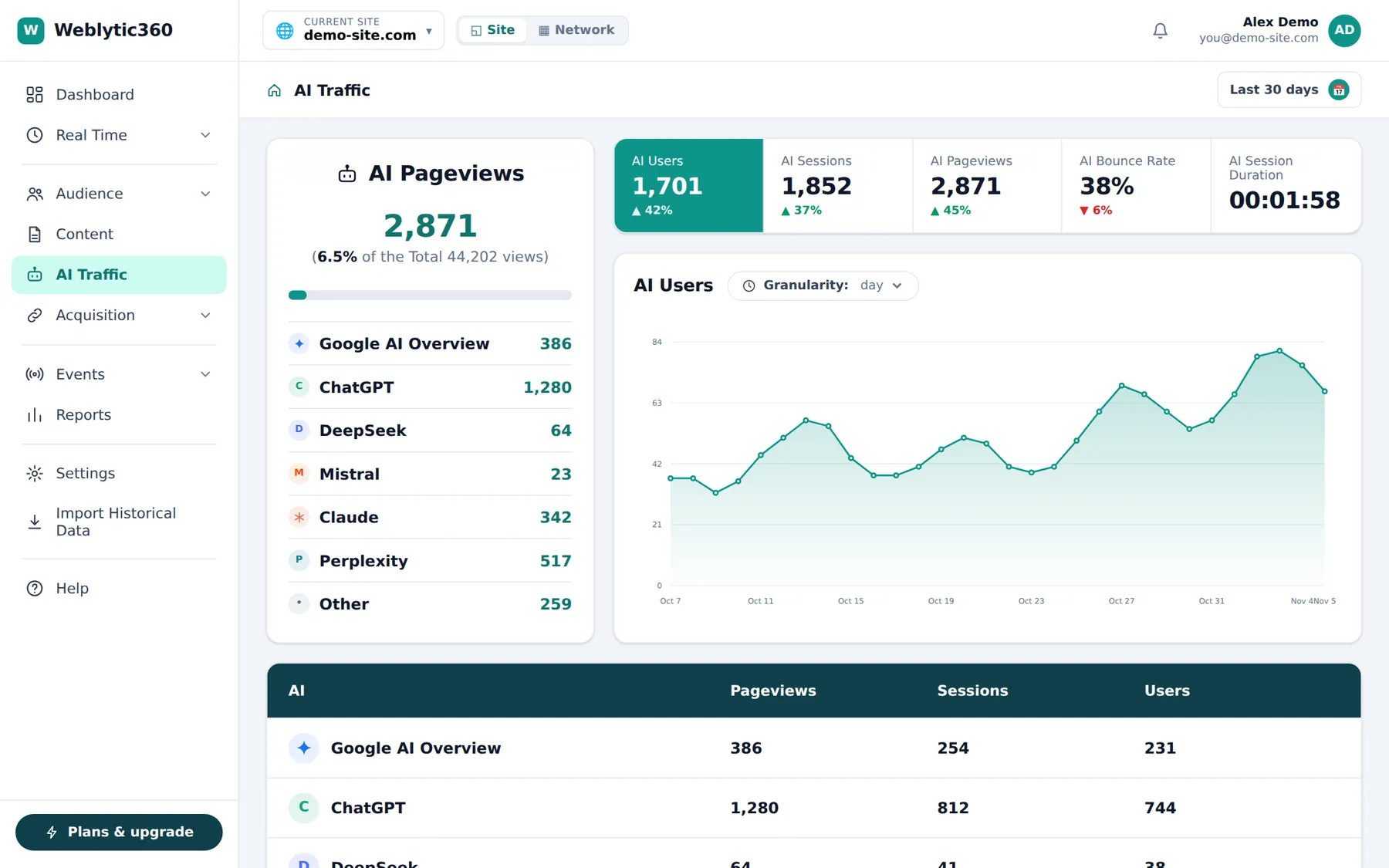
Real screenshots of the product, shown with demo data.
Privacy-friendly
No cookies. IP addresses are never stored, and visitor IDs are salted hashes that change every day, so nobody can be followed across days or across sites.
Bring your history
Import your historical data, so your old numbers and your new ones live in the same place.
One tiny script
A single script of under 2 KB (compressed) that you paste into your site. No developer needed.
Works on any site where you can edit the <head>, for example WordPress, Shopify, Webflow, Next.js and plain HTML.
Everything you need to understand your traffic
One clean dashboard with the reports that matter, and nothing you have to configure first.
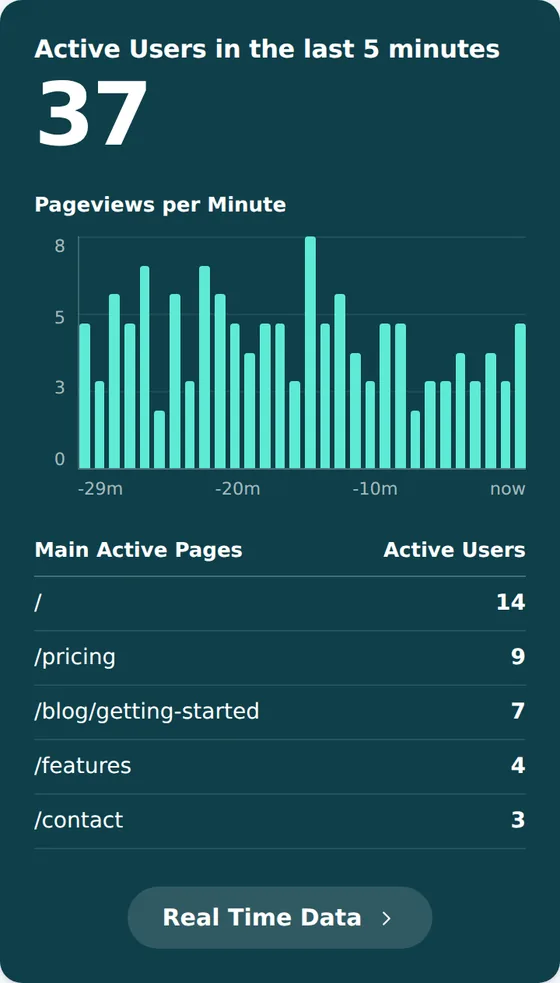
See what is happening on your site right now
Watch visitors arrive as it happens, without waiting for a daily report.
- Active visitors in the last 5 minutes
- Pageviews per minute, updated live
- The pages people are reading, and where they came from
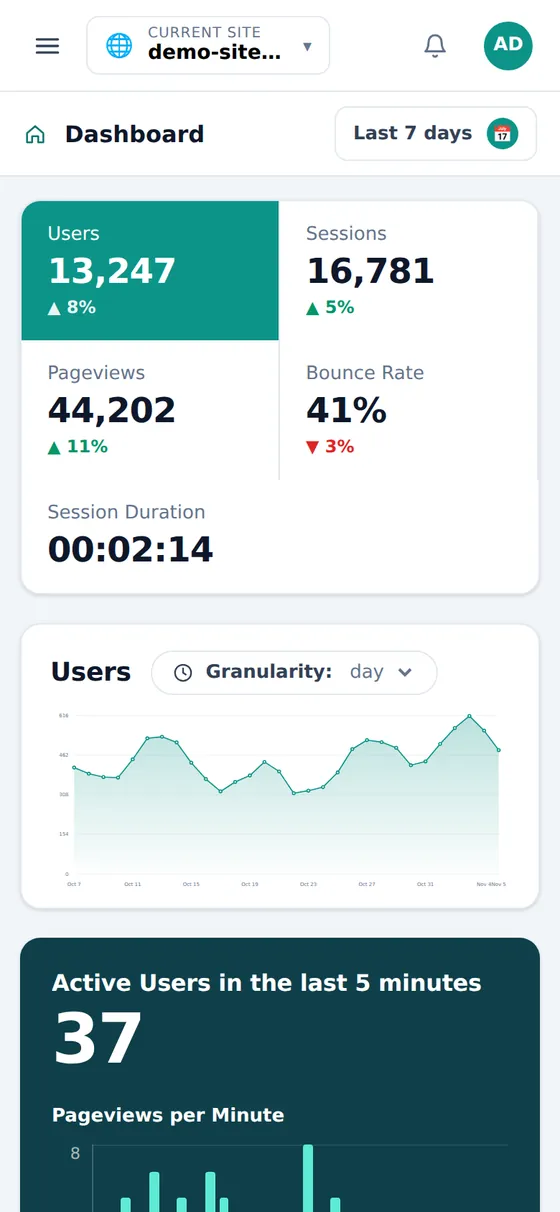
A dashboard that answers your questions
The numbers you check every day on one page, with the change against the previous period.
- Users, sessions, pageviews, bounce rate and session duration
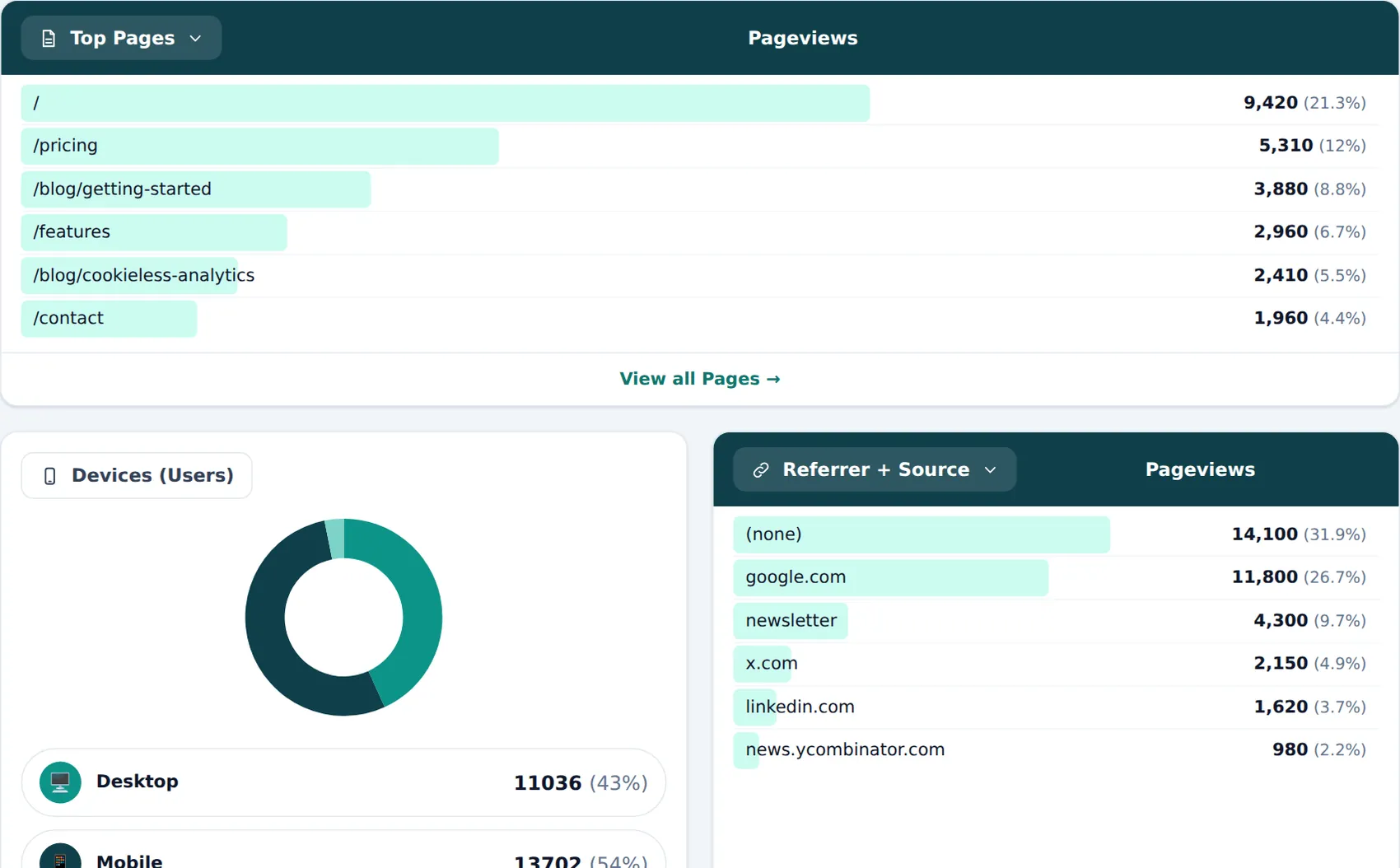
- Switch a panel between top pages and entry pages, or between referrers and UTM tags
- Devices, browsers, countries and a world map
- The date range lives in the address, so you can share the exact view
See the visitors that AI sends you
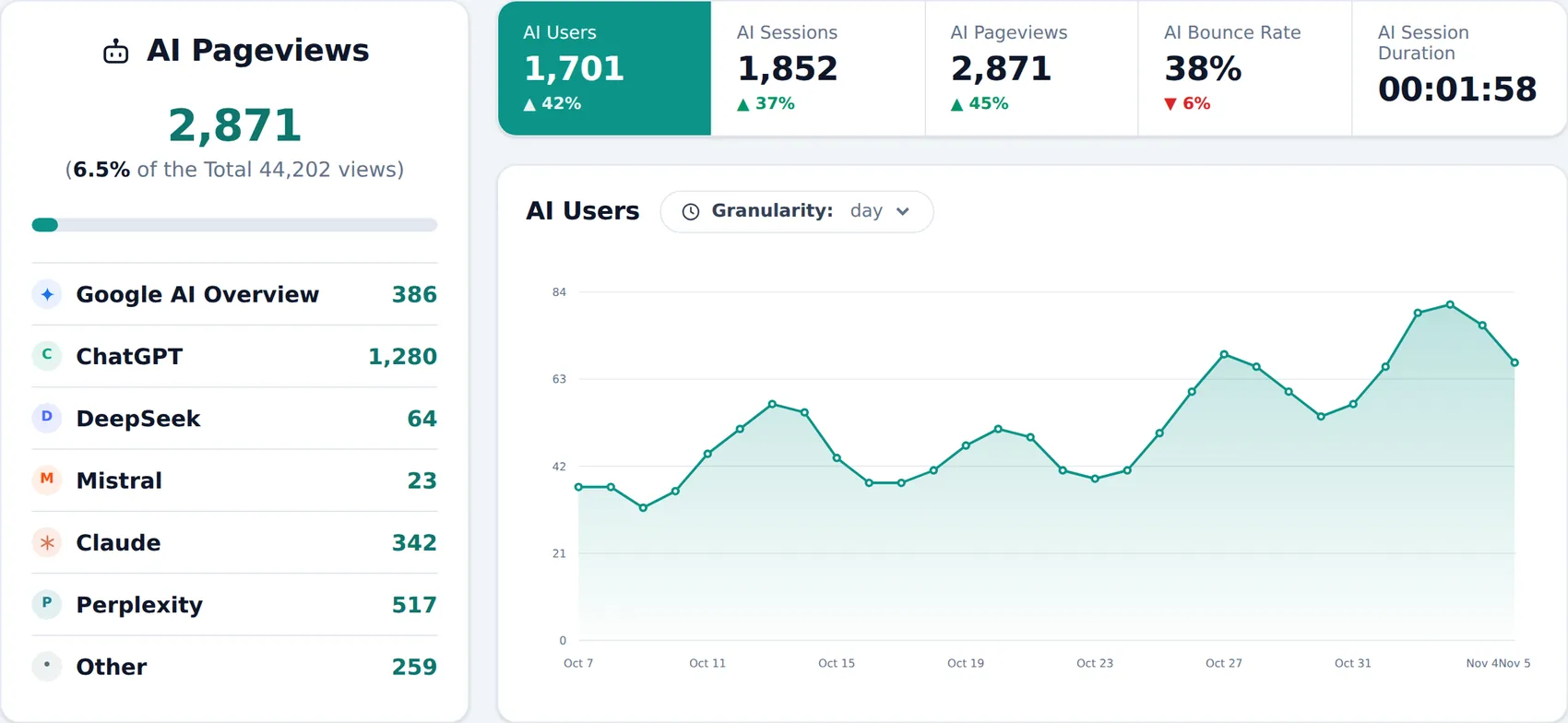
People now find sites through ChatGPT, Perplexity, Claude and Google AI Overview. Weblytic360 gives those visits their own report, with a row for every assistant, so you can see what they send and what they do.
- Pageviews, sessions and users for every assistant, plus bounce rate and time on site
- Detected from the assistant’s link, or from links it tags, such as utm_source=chatgpt.com
- AI crawlers are listed separately
Google AI Overview visits are a close estimate, and an assistant that hides where it sends people cannot be told apart.
Real Time
Who is on your site now: pages, sources, countries and devices.
Audience
Visitors by country, device, browser and operating system.
Content
Find your best pages and see how long people stay on them.
Acquisition and UTM
Referrers and UTM source, medium and campaign, to see which channels work.
Custom events
Track signups, clicks or purchases with one line: weblytic360(’signup’).
AI traffic
Visits that come from AI assistants and answer engines.
Network view
Watch all your websites together in one dashboard (Business plan and above).
Team and API keys
Invite teammates and pull your data into other tools with API keys (Lite plan and above).
Try the Lite features free for 14 days
Add your website and see your real traffic. For 14 days you can track as many events as you like, with everything the Lite plan includes. No card, nothing to cancel.
Your 14 days start when you add your first website. One trial per website. After the trial you stay on the free plan.
- Any number of eventsNo monthly limit during the 14 days
- The Lite features5 custom events, API access, AI traffic report and more
- 1 website, 1 team memberEverything is ready in about a minute
- No credit cardYou are never charged unless you choose a plan
Up and running in 3 steps
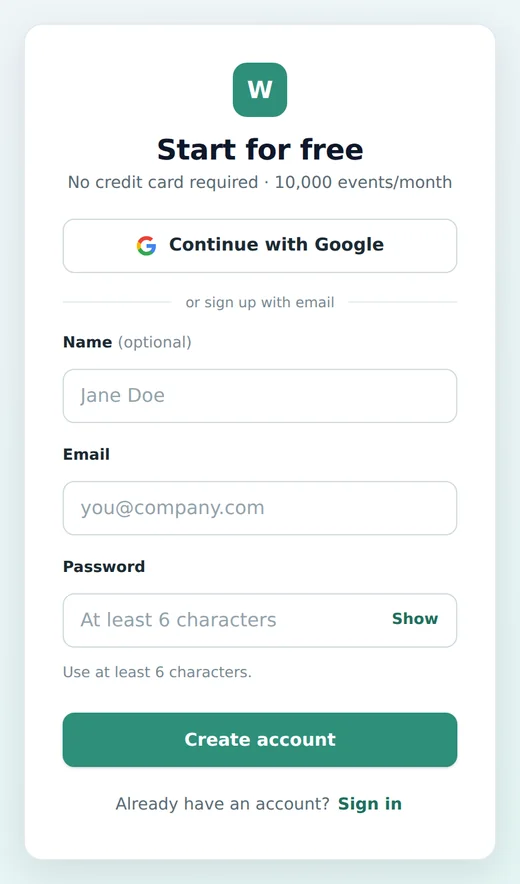
1 Create your account
Sign up with Google or email. No credit card required.
2 Add your website
Enter your site name and domain. Your tracking code is ready right away.
<script defer
  data-domain="example.com/Ab3xK9"
  src="https://weblytic360.com/script.manual.min.js">
</script>
3 Paste the script
Add it to the head of your site. Your dashboard starts filling in within a minute.
No credit card required · your 14 days start when you add your first website
Hi, I’m Kavita, the founder of Weblytic360.
I wanted analytics that is quick to set up, respects your visitors’ privacy, and shows something older tools miss: how much of your traffic now arrives from AI assistants.
If something is missing or unclear, write to me and I will look into it.
Simple pricing
Choose the number of events you track each month. Every package includes every report, and every new account starts with a 14-day free trial.
* Move the slider above to see all the price options. Every pageview and every custom event counts as one event.
Lite
The essentials for accurate analysis.
Billed monthly
Get started- Up to 100,000 events per month
- Tier: Lite
- Up to 5 team members
- API access with API keys (read your stats)
- 100 API calls per hour
- MCP access to your analytics Coming soon
- Up to 5 different custom events per website
- Up to 10 custom dimensions Coming soon
- Up to 5 websites
- Import historical data (CSV files)
- Import from GA4 and Plausible exports (beta)
- 5 years of data retention
- Real-time, audience, content and UTM reports
- AI traffic report
- Entry pages and session duration
- Day granularity
- Email support
Business
Most popularAll you can desire from an analytics tool.
Billed monthly
Get started- Up to 100,000 events per month
- Tier: Business
- Up to 15 team members
- API access with API keys (read your stats)
- 1,000 API calls per hour
- MCP access to your analytics Coming soon
- Up to 15 different custom events per website
- Up to 100 custom dimensions Coming soon
- Up to 10 custom metrics Coming soon
- Up to 20 websites
- Import historical data (CSV files)
- Import from GA4 and Plausible exports (beta)
- 10 years of data retention
- Network view (all your websites together)
- Up to 3 networks (groups of websites)
- Browser and OS versions
- City (approximate)
- Engagement time
- Up to 10 scheduled emails Coming soon
- Real-time, audience, content and UTM reports
- AI traffic report
- Entry pages and session duration
- Day and hour granularity
- Priority email support
Enterprise
The ultimate analytics plan for every company.
Contact us- Any volume, above 10 million events a month
- Tier: Enterprise
- Unlimited team members
- API access with API keys (read your stats)
- 10,000 API calls per hour
- MCP access to your analytics Coming soon
- Unlimited custom events
- Unlimited custom dimensions Coming soon
- Unlimited custom metrics Coming soon
- Unlimited websites
- Import historical data (CSV files)
- Import from GA4 and Plausible exports (beta)
- Unlimited data retention
- Network view (all your websites together)
- Unlimited networks (groups of websites)
- Minute granularity
- Browser and OS versions
- City (approximate)
- Engagement time
- Unlimited scheduled emails Coming soon
- Real-time, audience, content and UTM reports
- AI traffic report
- Entry and exit pages, session duration
- Day and hour granularity
- Dedicated onboarding and support
- Custom invoice and contract
Features marked Coming soon are being built and are not available yet. Everything else is available today.
Frequently asked questions
Is there a free trial?
Yes. Every new account gets a 14-day free trial with the Lite features, any number of events, 1 website and 1 team member. It starts when you add your first website, and no card is needed. After that you stay on the free plan.
Does Weblytic360 use cookies?
No. The script sets no cookies. It keeps a random visit ID in your visitor’s browser tab (sessionStorage) only to group pageviews into one visit. It disappears when the tab is closed and is never used to follow people across sites.
What data do you collect?
The page URL, referrer, UTM parameters, browser, operating system, device type, screen size and country. IP addresses are used only to work out the country and a visitor ID that changes every day. They are never stored. On the Business plan and above, the browser and operating system versions and the approximate city (also looked up from the IP address) are kept as well.
How do you count users?
A user is a visitor ID. Because the ID changes every day to protect privacy, the same person who comes back on two different days is counted as two users in a longer date range. Sessions and pageviews are not affected.
How do you detect AI traffic?
A visit counts as AI traffic when it comes from an AI assistant’s own link (for example perplexity.ai or claude.ai), or from a link the assistant has tagged with its name, such as utm_source=chatgpt.com. Google AI Overview visits are estimated from Google visits that land on a highlighted passage. An assistant that hides where it sends people cannot be detected.
Are bots and crawlers counted?
No. The script only runs in real browsers, and obvious bots are discarded when events arrive. AI crawlers that do reach the script are shown separately on the AI Traffic page.
Will it slow down my website?
No. The script is under 2 KB compressed and loads deferred. It sends small requests: one for each pageview, one when the visitor leaves, and a tiny keep-alive every 25 seconds while the page is open.
How do I add it to WordPress?
Open your site in Settings, copy the tracking code and paste it into the header section of your site, for example with a header and footer plugin. Then clear your cache.
Can I import my historical data?
Yes. Open Import Historical Data from the dashboard menu and follow the steps.
What counts as an event, and what are the plan limits?
Every pageview and every custom event counts as one event. Each plan has a number of events per month and a number of websites. You can see your usage in the dashboard and change plan whenever you need.
What the metrics mean
- Users
- The number of unique visitor IDs in the period.
- Sessions
- A visit: one or more pageviews by the same visitor, grouped together.
- Pageviews
- How many times pages were viewed, including repeat views.
- Bounce rate
- Sessions with a single page, divided by all sessions.
- Session duration
- The average time a visitor spends on your site per session.
Start your 14-day free trial
Add your first website and see your real traffic in a few minutes.
- 14-day free trial
- No credit card required
- Import your GA4 or Plausible data (beta)